
Spreadsheet Inventory Numbers Do Not Match for a Reason
Why spreadsheet inventory numbers drift, from missing stock logs to concurrent edits, cancellations, and returns.
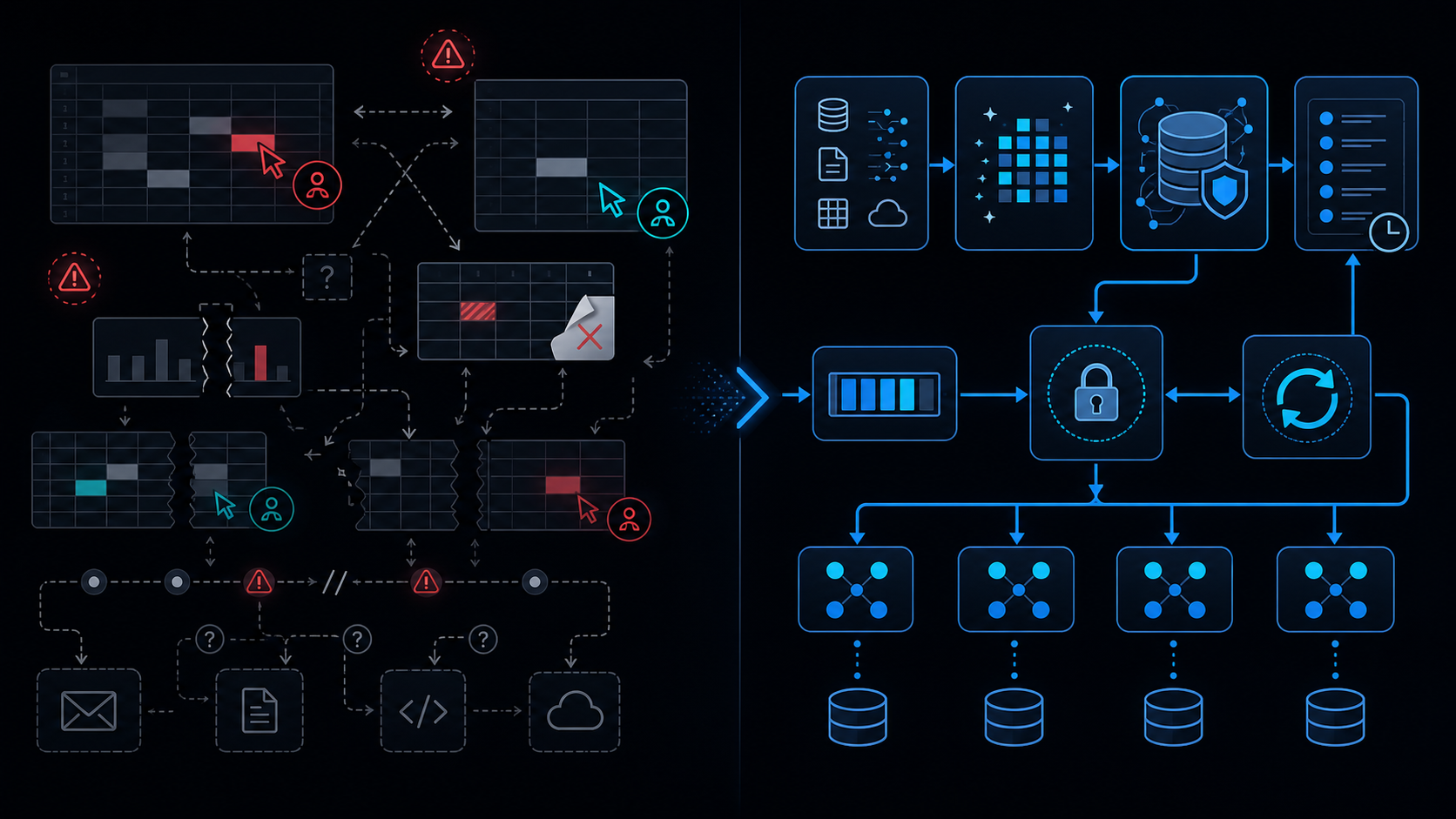
Conclusion first: Spreadsheet inventory mismatches are not bugs but structural limits. Concurrent edits, absent logs, and manual overrides collide by design.
Structural Causes of Inventory Mismatch
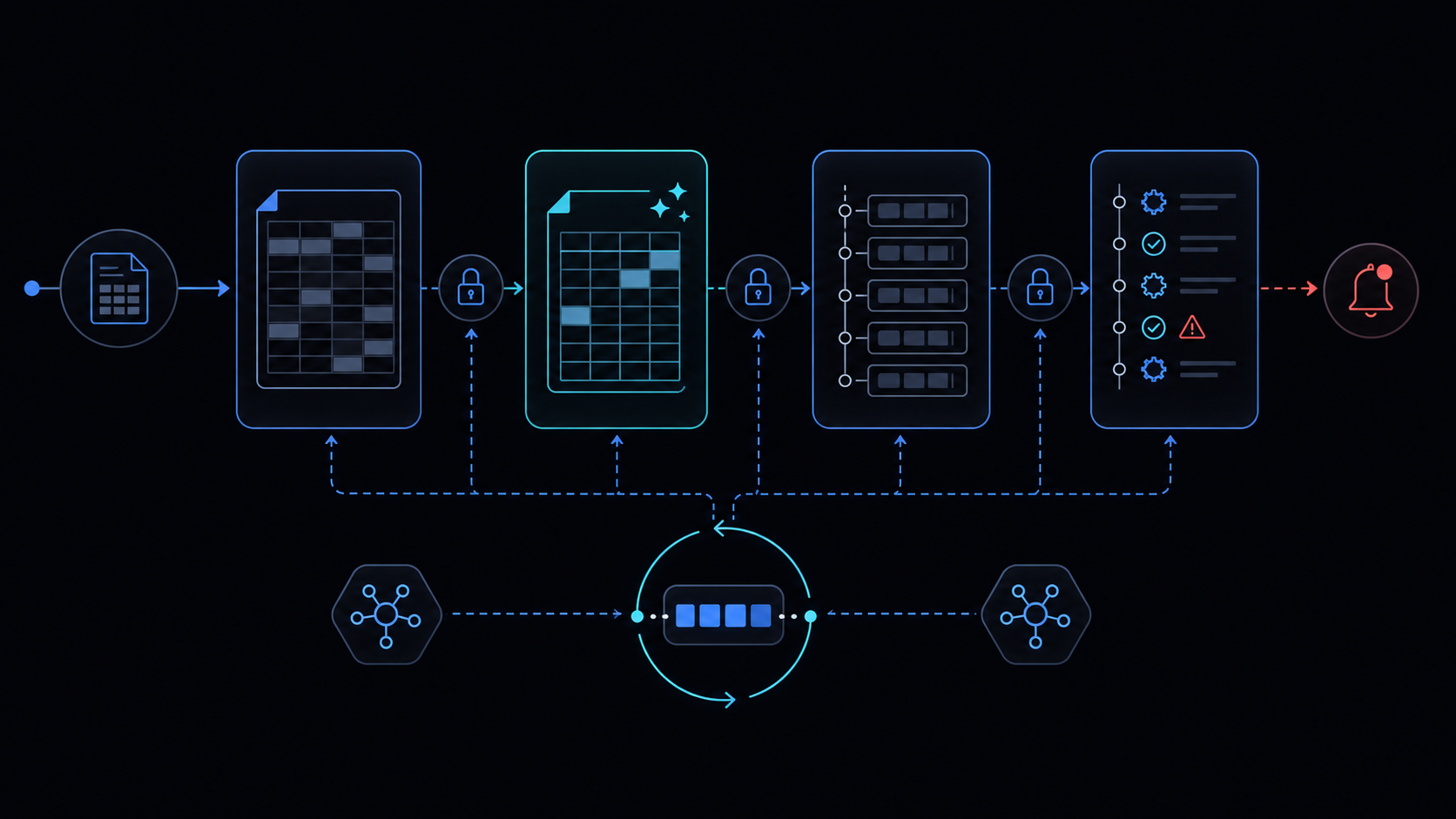 Spreadsheets allow the last writer to win on a cell. Without an immutable event log, root-cause tracing is impossible.
Transaction Ledger Model
Record every movement as append-only. Stock is always derived from the ledger.
Ledger schema:
| Column | Type | Description |
|---|---|---|
| ts | datetime | Event timestamp |
| sku | string | Product code |
| type | string | IN/OUT/RETURN/CANCEL |
| qty | number | Quantity |
| ref | string | Order/return ID |
Snapshot vs Real-time Calculation
Either scan the full ledger or maintain daily snapshots plus deltas.
Negative Stock Guard
Before appending an OUT row, verify current stock and reject if insufficient.
Ledger append and snapshot update must be atomic.
Concurrency Control with LockService
Serialize writes using LockService.getScriptLock().
function adjustStock(sku, type, qty, ref) {
  const lock = LockService.getScriptLock();
  lock.waitLock(30000);
  try {
    const ledger = SpreadsheetApp.getActive().getSheetByName('ledger');
    // append + guard logic
  } finally {
    lock.releaseLock();
  }
}
Returns and Cancellation Corrections
Record RETURN/CANCEL rows and link them to original transactions.
Failure Modes Table
| Mode | Symptom | Mitigation |
|---|---|---|
| Concurrent edit | Last write wins | LockService + backoff |
| Missing logs | No audit trail | Force all changes via ledger |
| Manual edits | Untraceable | Restrict edit permissions |
Signals to Migrate
Daily transactions >200, frequent negative stock, or 3+ simultaneous editors.
Implementation Path
- Create ledger sheet
- Add LockService
- Implement negative guard
- Automate daily snapshots
See also: spreadsheet-inventory-limits, lockservice-concurrency, when-to-leave-gas, retry-backoff, service-invoked-too-many-times.
Final review criteria
The useful question is not how many features the automation has. It is whether the workflow can be understood, recovered, and safely rerun after something goes wrong.
- Raw input is separated from the human-facing working view.
- Each run records success, failure, processed count, and error message.
- Replaying the same input does not create duplicate results.
- Permission changes, quota errors, and external API failures are visible later.
For low-risk internal tasks, that may be enough. For customer replies, booking confirmation, inventory updates, payments, or legal records, the threshold is higher: compare Apps Script against a dedicated SaaS or a small server-backed system before relying on it.