
- 2026.07.28 The Awkward Problems in Calendar-Based Attendance Tracking
- 2026.07.27 Why AI Sales Emails Get No Replies
- 2026.07.26 How One Shared Sheet Link Leaks Company Data
- 2026.07.25 Make.com Subscription vs Free Apps Script: Which Is Actually Cheaper?
- 2026.07.24 Why Internal Dashboards Are Ignored After Six Months
- 2026.07.23 Bad Form Auto-Replies Damage Customer Trust
- 2026.07.22 The Moment Free Automation Hits a Paid Plan
- 2026.07.21 Why Cutting Prompts to Save AI Cost Can Make Things Worse
- 2026.07.20 Spreadsheet Inventory Numbers Do Not Match for a Reason
- 2026.07.19 Why Vibe-Coded Apps Script Turns Into Trash After Three Months
- 2026.07.18 Why Google Calendar Booking Systems Double-Book
- 2026.07.17 Why a Stack of SaaS Tools Does Not Raise Revenue You are here
- 2026.07.14 Why Google Forms Data Turns Messy in Days
- 2026.07.13 ChatGPT API Costs Quietly Leak Money If You Do Not Count Them
- 2026.07.12 The Permission Trap in Spreadsheet Approval Systems
- 2026.07.11 Why Three No-Code Tools Got Replaced by One Apps Script
- 2026.07.10 Where Free Google Apps Script Automation Starts Leaking Money
- 2026.06.20 Cut Your Monthly SaaS Bill: Rent vs Own Your Automation
- 2026.06.19 How Much Does Adding AI Cost? The One Exception to Zero-Cost Automation
- 2026.06.19 Automating Your Work with Google Apps Script — The Complete Guide
- 2026.06.16 How a Multi-User Inspection App Is Different
- 2026.06.10 Inventory in Google Sheets: How Far Automation Goes
- 2026.06.08 The Truth About Zero Upkeep: Why It's Free, and the Exceptions
- 2026.06.06 Outsource vs Build vs SaaS: Compared by Cost
Why a Stack of SaaS Tools Does Not Raise Revenue
Why adding more SaaS tools often fails to raise revenue, viewed through bottlenecks, cost, and workflow design.
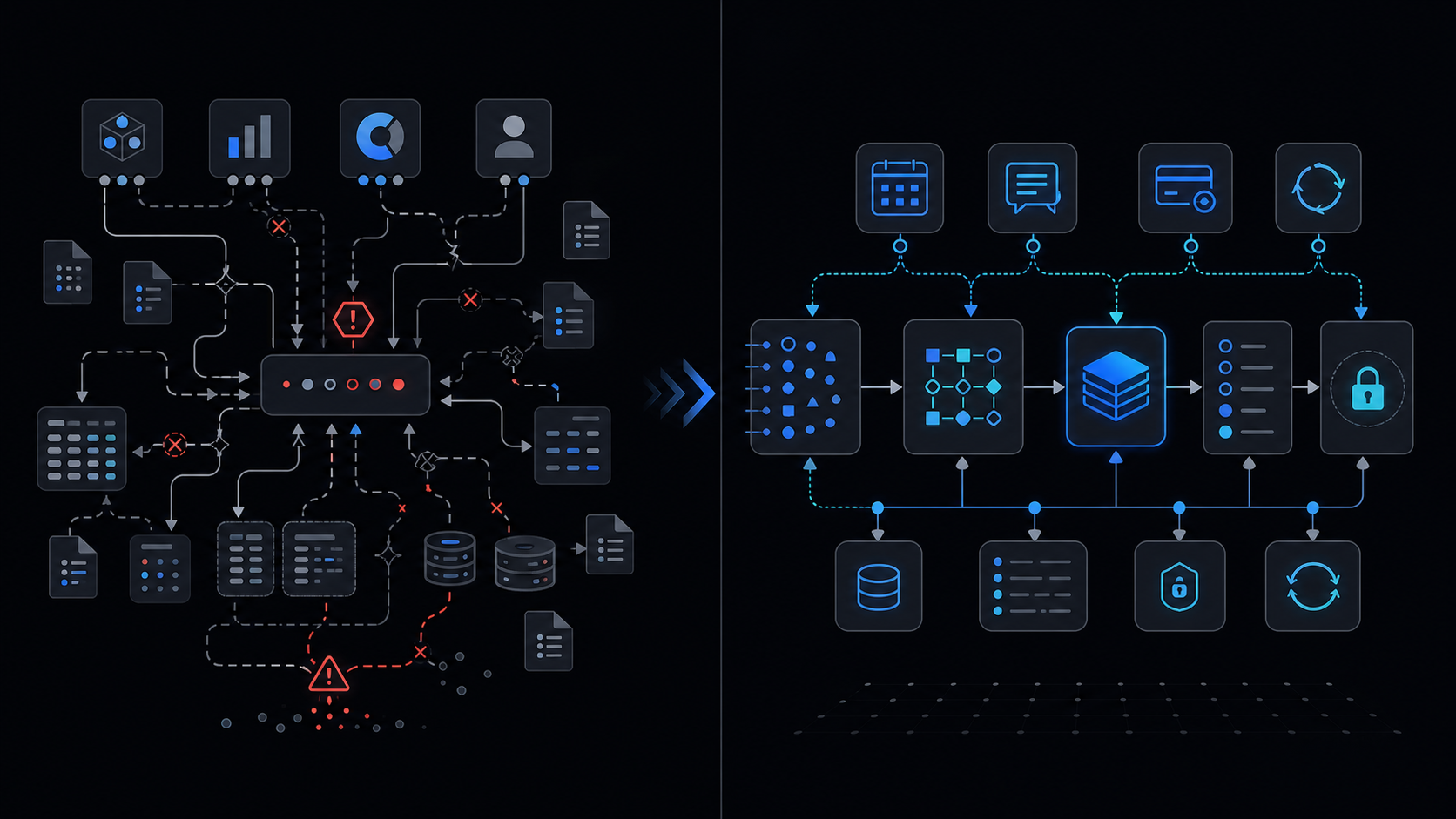
Conclusion first: Revenue rises only when the events that directly touch money (booking, inquiry, settlement, revisit) are automated first. Everything else merely increases cost.
Event Sources on the Revenue Path
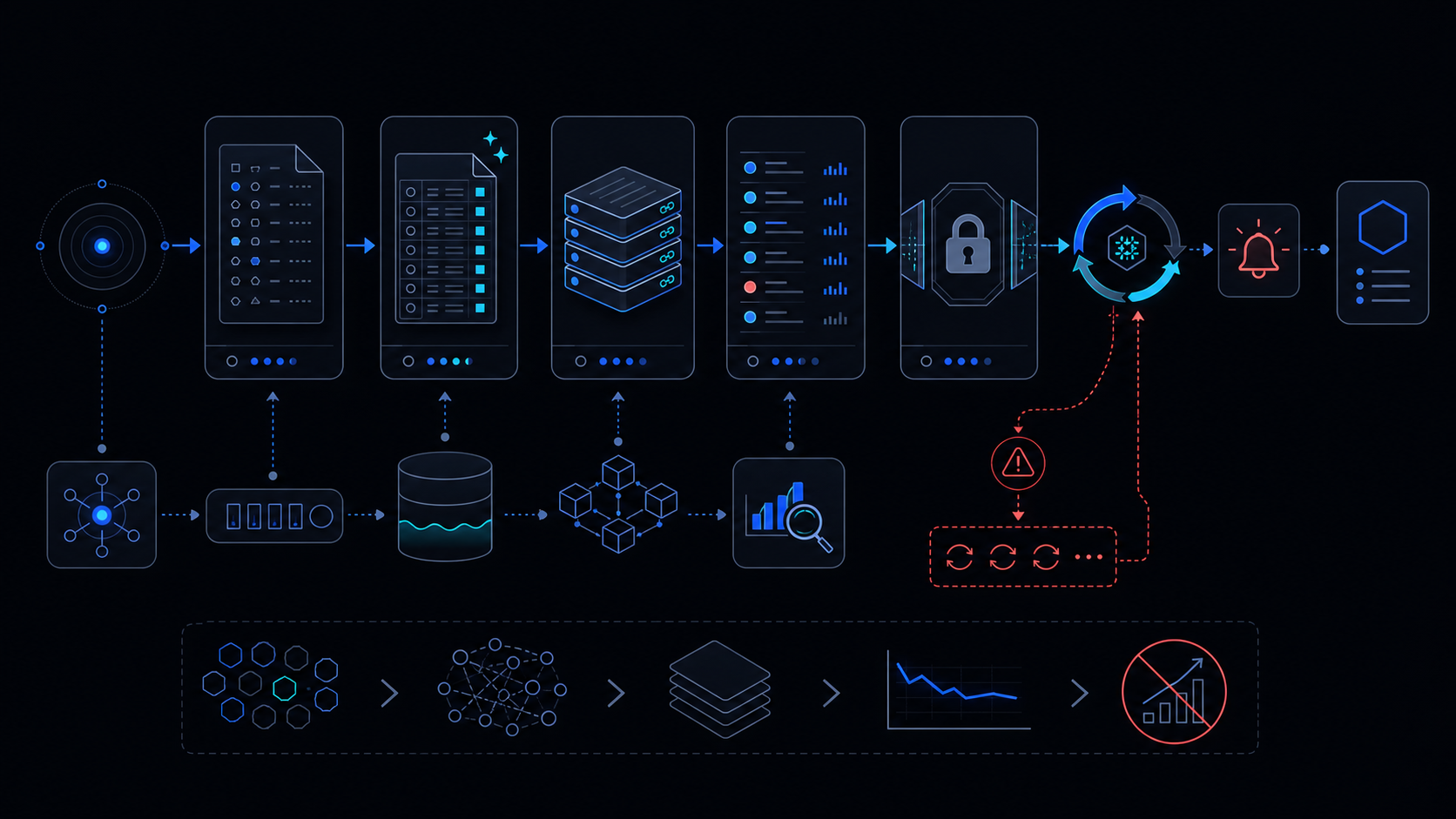
Define booking completion, inquiry receipt, payment success, and revisit reservation as core events. For each event record owner, metric, and integration surface.
Process Map and Measurement
| Stage | Event Source | Owner | Metric | Before | After |
|---|---|---|---|---|---|
| Booking | webhook | Marketing | Conversion | 12% | 31% |
| Settlement | API pull | Finance | DSO | 14 days | 3 days |
ROI Calculation Table
| Item | Cost | Savings | Payback |
|---|---|---|---|
| Apps Script runtime | $0 | 18 h/mo | immediate |
| 3 SaaS subscriptions | $240 | $180 | 4 months |
Automation Spec Template
function onBooking(e) {
  const lock = LockService.getScriptLock();
  if (!lock.tryLock(5000)) return;
  try {
    // process and log
  } finally { lock.releaseLock(); }
}
Implementation Steps
- Log events into Sheets
- Apply LockService + retry-backoff
- Measure 30 days before scaling
Automating only the booking event has produced a 19% lift in average order value within three months.
Failure Modes and Exceptions
- Concurrency collisions when LockService is omitted
- Spreadsheet limits beyond 20 concurrent requests; see spreadsheet-inventory-limits
- No gradual rollout possible; see no-gradual-rollout
When Not to Use This Approach
If an enterprise ERP is already in place or monthly bookings exceed 500, evaluate an external workflow engine instead. See when-to-leave-gas.
Final review criteria
The useful question is not how many features the automation has. It is whether the workflow can be understood, recovered, and safely rerun after something goes wrong.
- Raw input is separated from the human-facing working view.
- Each run records success, failure, processed count, and error message.
- Replaying the same input does not create duplicate results.
- Permission changes, quota errors, and external API failures are visible later.
For low-risk internal tasks, that may be enough. For customer replies, booking confirmation, inventory updates, payments, or legal records, the threshold is higher: compare Apps Script against a dedicated SaaS or a small server-backed system before relying on it.
Frequently asked questions
- 2026.07.28 The Awkward Problems in Calendar-Based Attendance Tracking
- 2026.07.27 Why AI Sales Emails Get No Replies
- 2026.07.26 How One Shared Sheet Link Leaks Company Data
- 2026.07.25 Make.com Subscription vs Free Apps Script: Which Is Actually Cheaper?
- 2026.07.24 Why Internal Dashboards Are Ignored After Six Months
- 2026.07.23 Bad Form Auto-Replies Damage Customer Trust
- 2026.07.22 The Moment Free Automation Hits a Paid Plan
- 2026.07.21 Why Cutting Prompts to Save AI Cost Can Make Things Worse
- 2026.07.20 Spreadsheet Inventory Numbers Do Not Match for a Reason
- 2026.07.19 Why Vibe-Coded Apps Script Turns Into Trash After Three Months
- 2026.07.18 Why Google Calendar Booking Systems Double-Book
- 2026.07.17 Why a Stack of SaaS Tools Does Not Raise Revenue You are here
- 2026.07.14 Why Google Forms Data Turns Messy in Days
- 2026.07.13 ChatGPT API Costs Quietly Leak Money If You Do Not Count Them
- 2026.07.12 The Permission Trap in Spreadsheet Approval Systems
- 2026.07.11 Why Three No-Code Tools Got Replaced by One Apps Script
- 2026.07.10 Where Free Google Apps Script Automation Starts Leaking Money
- 2026.06.20 Cut Your Monthly SaaS Bill: Rent vs Own Your Automation
- 2026.06.19 How Much Does Adding AI Cost? The One Exception to Zero-Cost Automation
- 2026.06.19 Automating Your Work with Google Apps Script — The Complete Guide
- 2026.06.16 How a Multi-User Inspection App Is Different
- 2026.06.10 Inventory in Google Sheets: How Far Automation Goes
- 2026.06.08 The Truth About Zero Upkeep: Why It's Free, and the Exceptions
- 2026.06.06 Outsource vs Build vs SaaS: Compared by Cost