
Why Three No-Code Tools Got Replaced by One Apps Script
A practical guide to when no-code automation is still the right tool and when Apps Script becomes the better owned workflow.
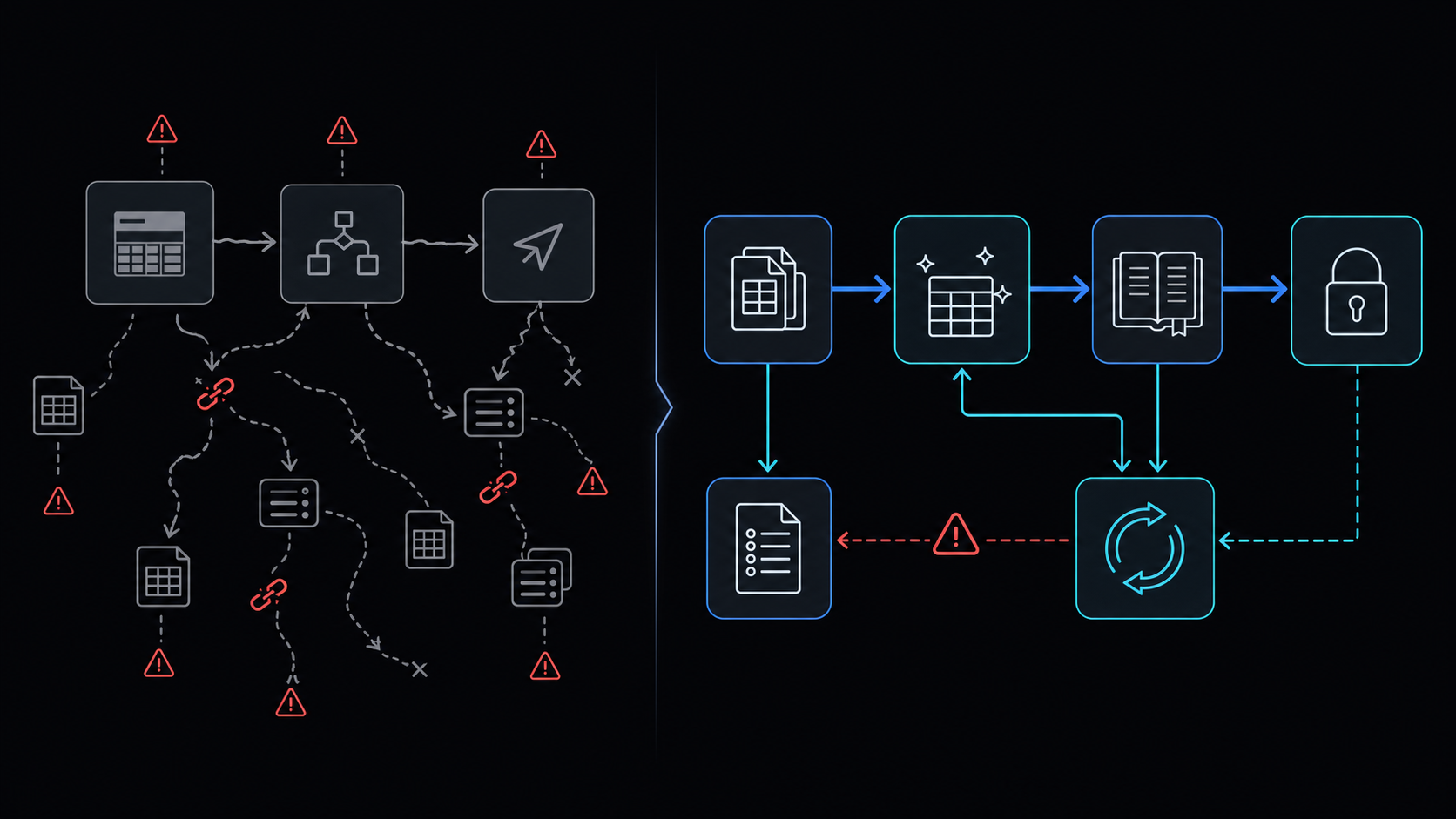
Conclusion first: No-code chains deliver speed for the first two weeks, but once exception paths exceed four or logic exceeds the six-minute quota, maintenance cost surpasses single-ownership Apps Script.
No-code chains versus code ownership
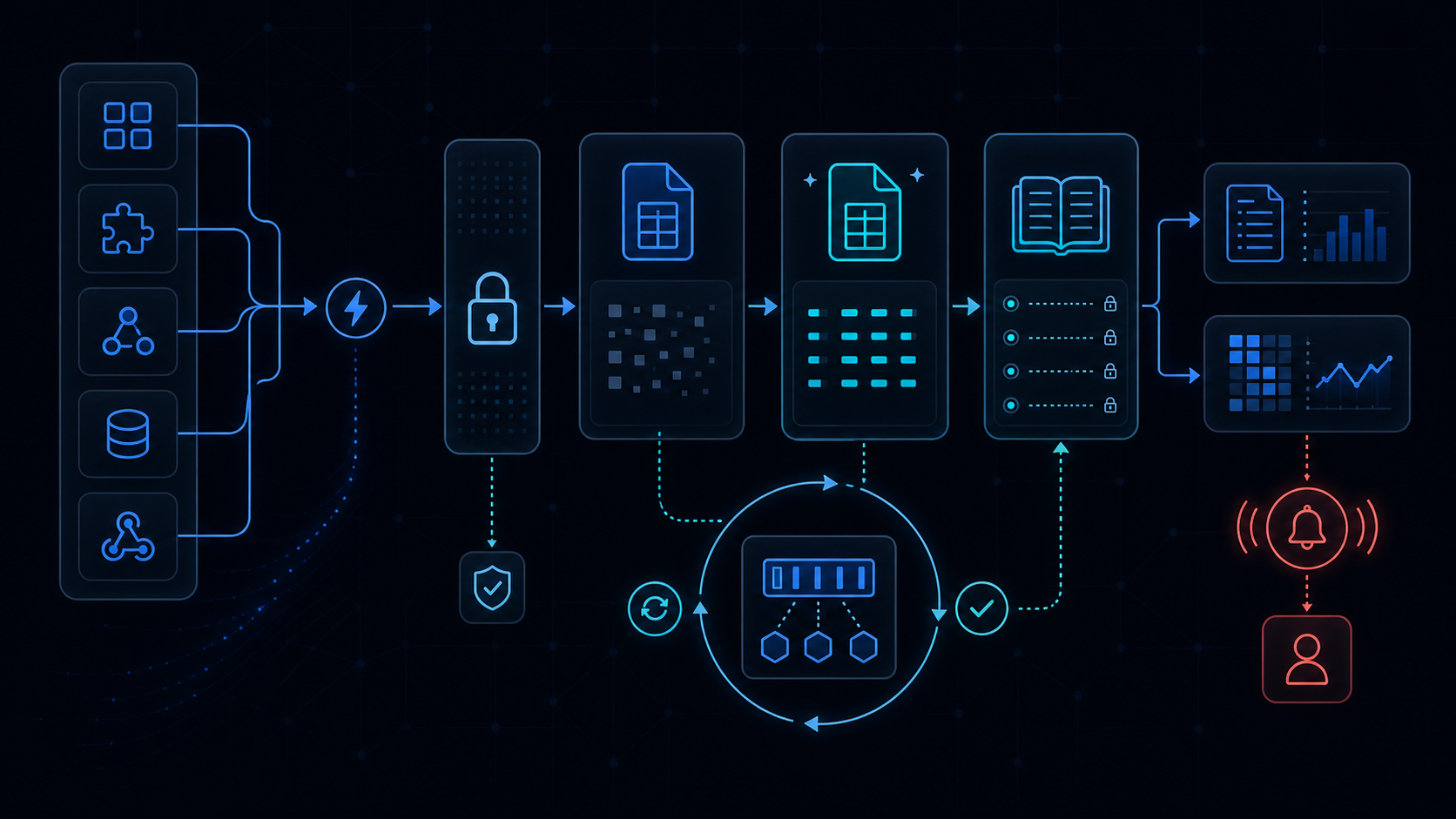 No-code modules act as black boxes; error stacks are nearly impossible to trace across services. Apps Script keeps the entire flow in one repository, allowing direct control over retry-backoff, sheets-date-coercion, and LockService concurrency.
Decision table: when to switch
| Scenario | No-code effort | Apps Script effort | Recommendation |
|---|---|---|---|
| Single webhook relay | 5 minutes setup | 30 minutes code | No-code |
| 3+ transformation steps + exceptions | 2 days debugging | 4 hours code | Apps Script |
| 10+ concurrent editors | Frequent conflicts | LockService control | Apps Script |
| 20+ native SaaS connectors | Immediate | Custom clients required | No-code |
Sample Apps Script trigger flow
function onFormSubmit(e) {
  const lock = LockService.getScriptLock();
  if (!lock.tryLock(30000)) return;
  try {
    const data = normalizeDate(e.values);
    processWithRetry(data, 3);
  } finally {
    lock.releaseLock();
  }
}
Failure modes and exception handling
- service-invoked-too-many-times: exponential backoff with 1-second base
- installed-not-working: replace onOpen with onEdit triggers
- browser-storage-evicts: migrate to PropertiesService
Combine LockService with PropertiesService to externalize state and bypass the six-minute limit.
When Make or Zapier still wins
Non-developers edit workflows more than three times per week or real-time key rotation (see ai-cost-and-keys) is mandatory.
Implementation path
- Export existing Zapier scenarios to a spreadsheet
- Apply LockService and retry-backoff patterns first
- Verify spreadsheet-inventory-limits before deployment
When not to use this approach
No Apps Script reviewer exists on the team, or saas-cost-rent-vs-own analysis shows cost crossover will not occur within six months.
Final review criteria
The useful question is not how many features the automation has. It is whether the workflow can be understood, recovered, and safely rerun after something goes wrong.
- Raw input is separated from the human-facing working view.
- Each run records success, failure, processed count, and error message.
- Replaying the same input does not create duplicate results.
- Permission changes, quota errors, and external API failures are visible later.
For low-risk internal tasks, that may be enough. For customer replies, booking confirmation, inventory updates, payments, or legal records, the threshold is higher: compare Apps Script against a dedicated SaaS or a small server-backed system before relying on it.