
- 2026.07.28 The Awkward Problems in Calendar-Based Attendance Tracking
- 2026.07.27 Why AI Sales Emails Get No Replies
- 2026.07.26 How One Shared Sheet Link Leaks Company Data
- 2026.07.25 Make.com Subscription vs Free Apps Script: Which Is Actually Cheaper?
- 2026.07.24 Why Internal Dashboards Are Ignored After Six Months
- 2026.07.23 Bad Form Auto-Replies Damage Customer Trust
- 2026.07.22 The Moment Free Automation Hits a Paid Plan
- 2026.07.21 Why Cutting Prompts to Save AI Cost Can Make Things Worse
- 2026.07.20 Spreadsheet Inventory Numbers Do Not Match for a Reason
- 2026.07.19 Why Vibe-Coded Apps Script Turns Into Trash After Three Months
- 2026.07.18 Why Google Calendar Booking Systems Double-Book
- 2026.07.17 Why a Stack of SaaS Tools Does Not Raise Revenue
- 2026.07.14 Why Google Forms Data Turns Messy in Days You are here
- 2026.07.13 ChatGPT API Costs Quietly Leak Money If You Do Not Count Them
- 2026.07.12 The Permission Trap in Spreadsheet Approval Systems
- 2026.07.11 Why Three No-Code Tools Got Replaced by One Apps Script
- 2026.07.10 Where Free Google Apps Script Automation Starts Leaking Money
- 2026.06.20 Cut Your Monthly SaaS Bill: Rent vs Own Your Automation
- 2026.06.19 How Much Does Adding AI Cost? The One Exception to Zero-Cost Automation
- 2026.06.19 Automating Your Work with Google Apps Script — The Complete Guide
- 2026.06.16 How a Multi-User Inspection App Is Different
- 2026.06.10 Inventory in Google Sheets: How Far Automation Goes
- 2026.06.08 The Truth About Zero Upkeep: Why It's Free, and the Exceptions
- 2026.06.06 Outsource vs Build vs SaaS: Compared by Cost
Why Google Forms Data Turns Messy in Days
Why Google Forms responses get messy in days, and what to normalize immediately after collection.
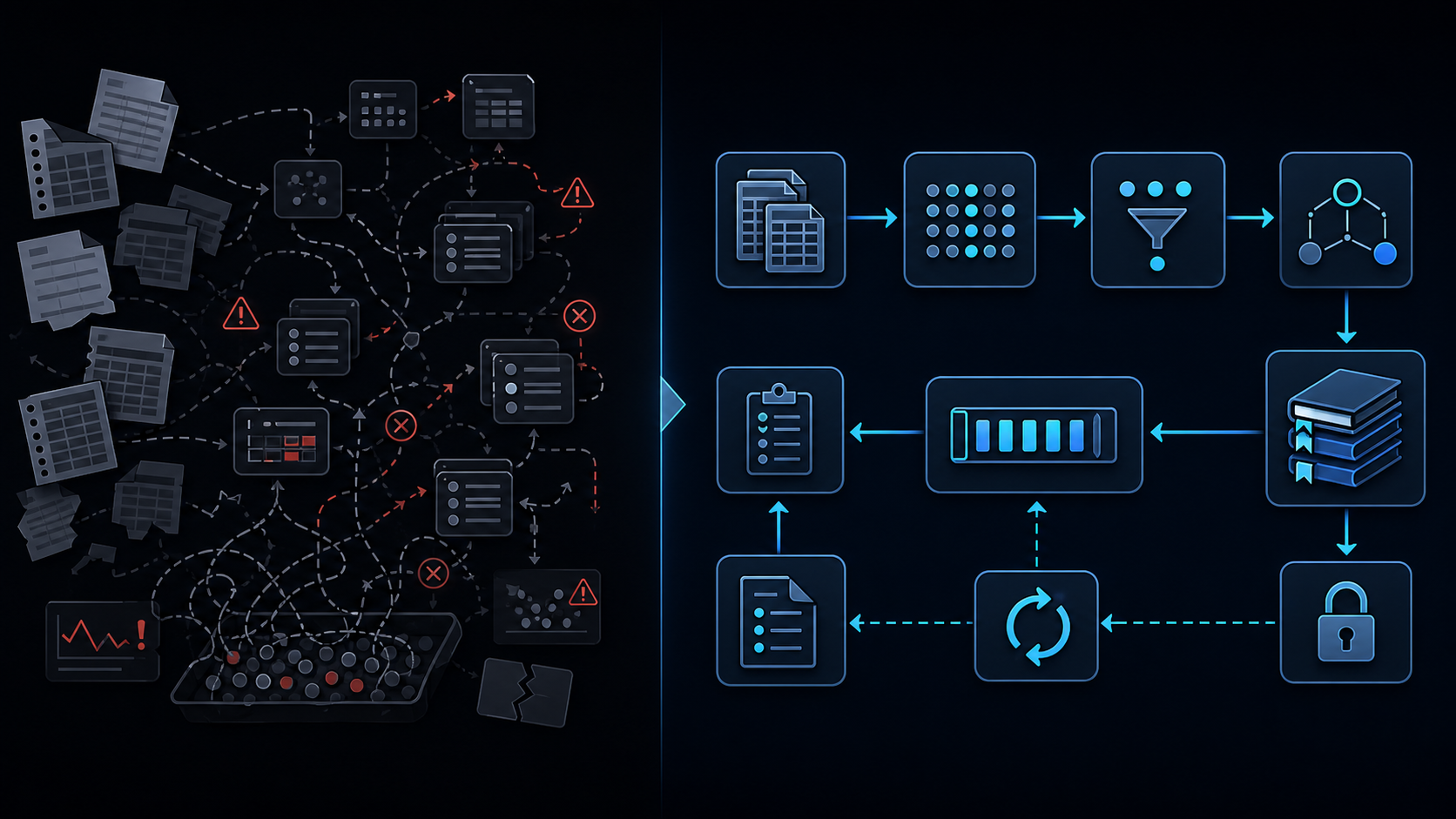
Conclusion first: Form responses must be left untouched in the raw sheet and immediately projected into a clean sheet with IDs, status, and normalized values. Cleaning later costs 5-10x more.
How the raw sheet becomes messy
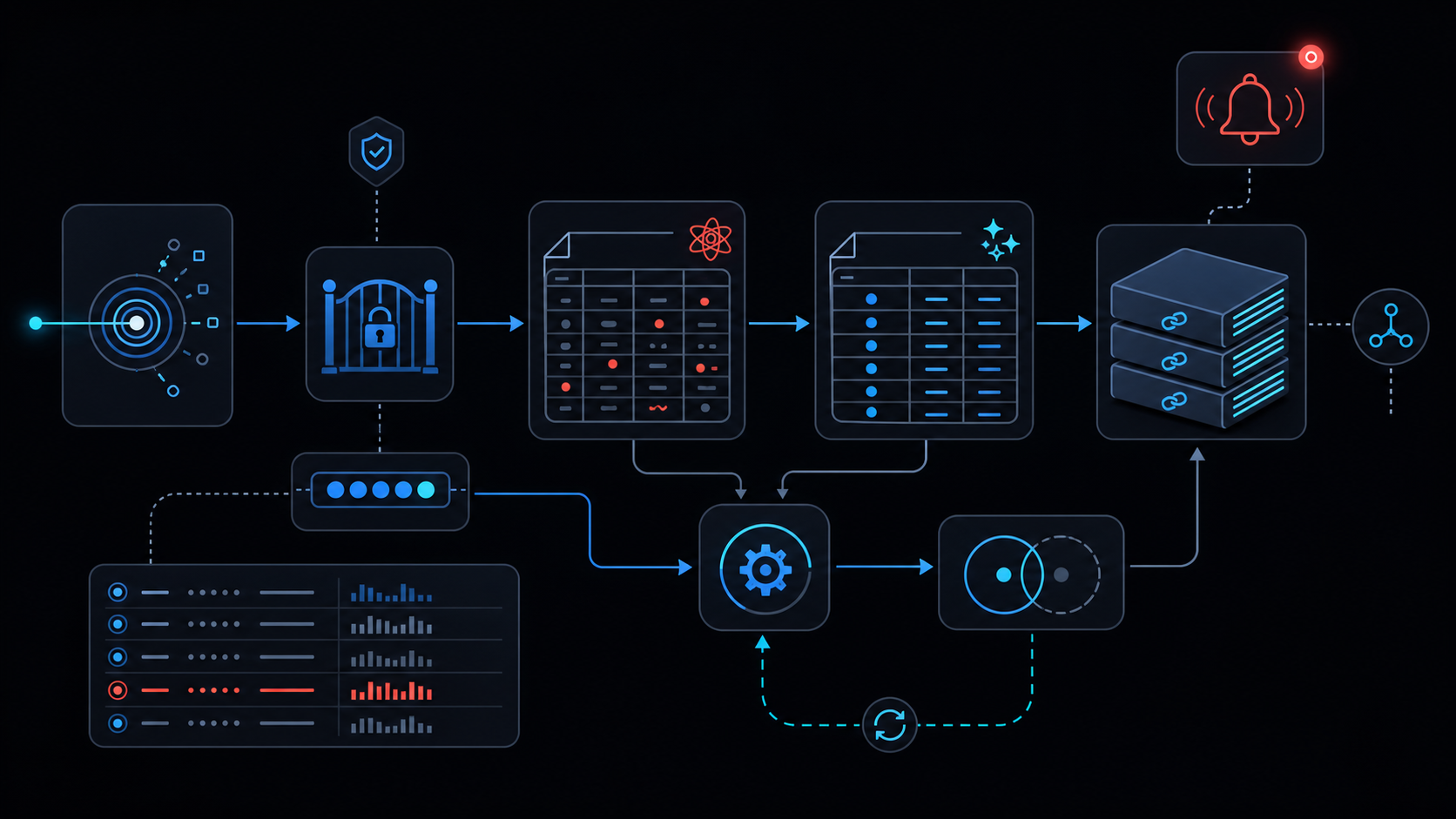
Google Forms appends timestamp, email, and every answer field in arrival order. Any manual filter, sort or delete destroys immutability and auditability.
Clean sheet data model
| Column | Type | Purpose | Example |
|---|---|---|---|
| response_id | string | Forms ID + hash | abc123-2024 |
| submitted_at | datetime | ISO8601 | 2024-10-05T09:12:00Z |
| status | enum | new/processed/error | processed |
| normalized_email | string | lower+trim | [email protected] |
Validation and deduplication
Treat response_id as primary key; never mutate submitted_at.
onFormSubmit skeleton
function onFormSubmit(e) {
  const lock = LockService.getScriptLock();
  lock.waitLock(30000);
  try {
    const raw = e.values;
    const hash = Utilities.computeDigest(Utilities.DigestAlgorithm.SHA_256, raw[1]+raw[0]).toString();
    // check clean sheet index, insert if absent
  } finally { lock.releaseLock(); }
}
Implementation checklist
- Install form trigger (see installed-not-working)
- Protect raw sheet
- Create clean sheet schema
- Add LockService + retry-backoff
- Test six-minute-limit
Failure modes
- service-invoked-too-many-times when >20 calls/sec
- sheets-date-coercion turning dates into strings
- no-gradual-rollout making rollback impossible
When not to use this approach
Daily volume >5k responses or >500k rows already reached: review spreadsheet-inventory-limits and when-to-leave-gas. Prefer Cloud Functions + Firestore instead.
Final review criteria
The useful question is not how many features the automation has. It is whether the workflow can be understood, recovered, and safely rerun after something goes wrong.
- Raw input is separated from the human-facing working view.
- Each run records success, failure, processed count, and error message.
- Replaying the same input does not create duplicate results.
- Permission changes, quota errors, and external API failures are visible later.
For low-risk internal tasks, that may be enough. For customer replies, booking confirmation, inventory updates, payments, or legal records, the threshold is higher: compare Apps Script against a dedicated SaaS or a small server-backed system before relying on it.
Frequently asked questions
- Why separate raw sheet from clean sheet?
- Raw sheet is the immutable log written directly by Forms. Editing it breaks audit trails and causes write conflicts. Clean sheet holds the normalized view safe for queries and dashboards.
- How to deduplicate inside onFormSubmit?
- Compute a hash of email+timestamp, compare against the clean sheet index, skip if exists, and serialize concurrent runs with LockService.
- What happens when the spreadsheet hits its limit?
- Performance collapses near 100k rows and queries time out. Migrate to BigQuery or another DB beforehand and review when-to-leave-gas.
- 2026.07.28 The Awkward Problems in Calendar-Based Attendance Tracking
- 2026.07.27 Why AI Sales Emails Get No Replies
- 2026.07.26 How One Shared Sheet Link Leaks Company Data
- 2026.07.25 Make.com Subscription vs Free Apps Script: Which Is Actually Cheaper?
- 2026.07.24 Why Internal Dashboards Are Ignored After Six Months
- 2026.07.23 Bad Form Auto-Replies Damage Customer Trust
- 2026.07.22 The Moment Free Automation Hits a Paid Plan
- 2026.07.21 Why Cutting Prompts to Save AI Cost Can Make Things Worse
- 2026.07.20 Spreadsheet Inventory Numbers Do Not Match for a Reason
- 2026.07.19 Why Vibe-Coded Apps Script Turns Into Trash After Three Months
- 2026.07.18 Why Google Calendar Booking Systems Double-Book
- 2026.07.17 Why a Stack of SaaS Tools Does Not Raise Revenue
- 2026.07.14 Why Google Forms Data Turns Messy in Days You are here
- 2026.07.13 ChatGPT API Costs Quietly Leak Money If You Do Not Count Them
- 2026.07.12 The Permission Trap in Spreadsheet Approval Systems
- 2026.07.11 Why Three No-Code Tools Got Replaced by One Apps Script
- 2026.07.10 Where Free Google Apps Script Automation Starts Leaking Money
- 2026.06.20 Cut Your Monthly SaaS Bill: Rent vs Own Your Automation
- 2026.06.19 How Much Does Adding AI Cost? The One Exception to Zero-Cost Automation
- 2026.06.19 Automating Your Work with Google Apps Script — The Complete Guide
- 2026.06.16 How a Multi-User Inspection App Is Different
- 2026.06.10 Inventory in Google Sheets: How Far Automation Goes
- 2026.06.08 The Truth About Zero Upkeep: Why It's Free, and the Exceptions
- 2026.06.06 Outsource vs Build vs SaaS: Compared by Cost