
Where Free Google Apps Script Automation Starts Leaking Money
Where free Apps Script automation turns into real operating cost: triggers, external APIs, maintenance, and ownership.
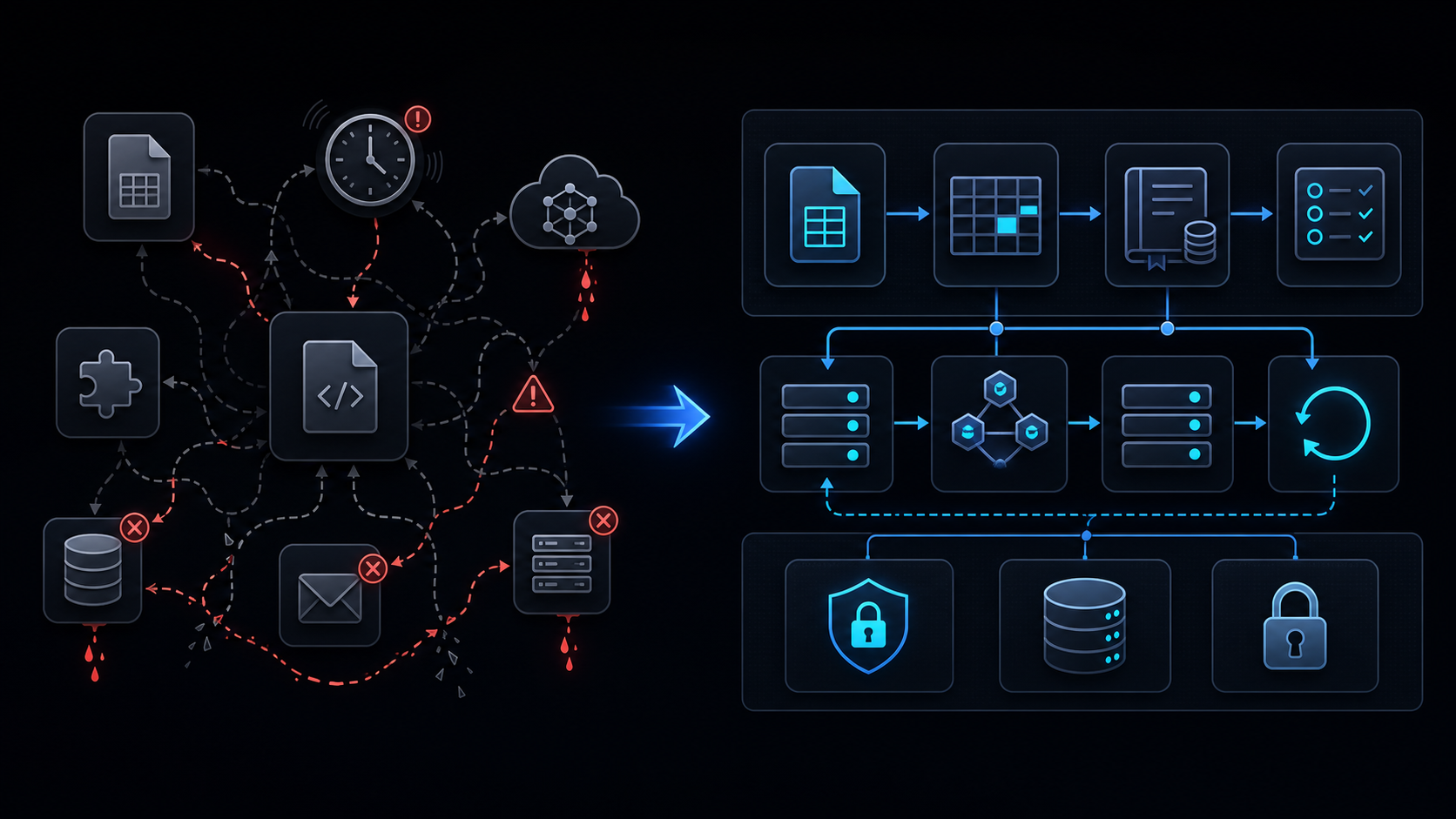
Conclusion first: Apps Script is free at base but leaks money or fails when trigger cadence, 6-minute cap, UrlFetch retries, external API billing, logging volume, email quotas, and ownership transfer accumulate.
Trigger Cadence Design
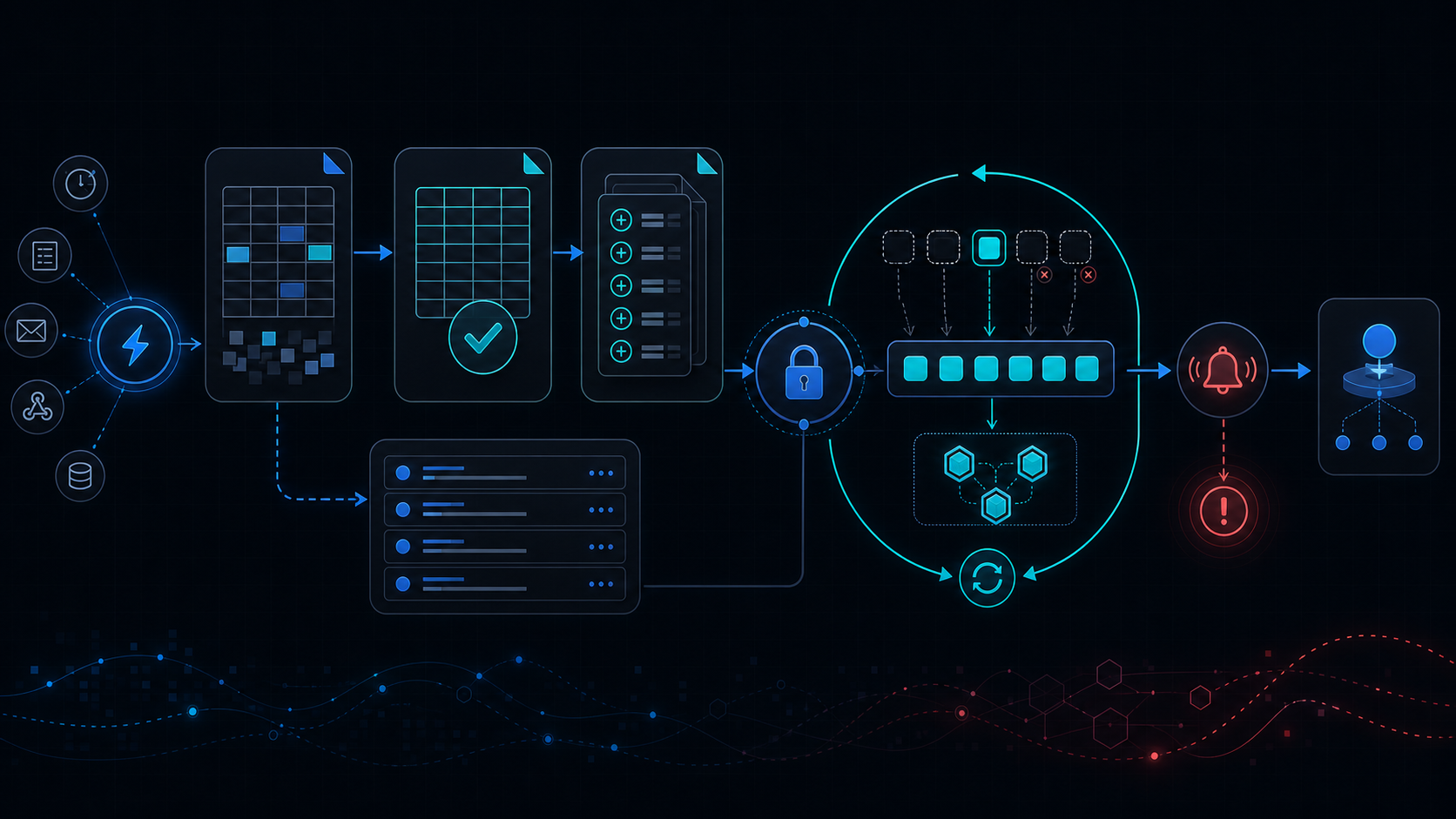 Minute-level triggers collide with the 6-minute limit. Cap at once per hour and use LockService to prevent concurrent runs. See lockservice-concurrency.
Six-Minute Limit and Chunking
Split work into 5-minute segments per six-minute-limit. Persist restart checkpoints on failure.
UrlFetch and Retry Strategy
Apply retry-backoff: 3 attempts with exponential backoff.
function monitoredFetch(url, options) {
  const start = new Date();
  let err = null;
  try {
    return UrlFetchApp.fetch(url, options);
  } catch(e) {
    err = e;
    throw e;
  } finally {
    logToSheet({duration: new Date()-start, error: err});
  }
}
Monitoring Sheet Schema
| Column | Type | Purpose |
|---|---|---|
| timestamp | Date | Execution time |
| function | String | Function name |
| durationMs | Number | Runtime |
| error | String | Error message |
External API Billing Points
Record API key usage on every call when integrating ai-cost-and-keys.
Wrap every external call in a monitoring wrapper to automate cost tracking.
Failure Mode Checklist
- No partial rollback on 6-minute timeout
- Unhandled 429 on UrlFetch
- Workspace policy drift undetected
When Not to Use This Approach
Migrate to Cloud Run once spreadsheet-inventory-limits are exceeded or service-invoked-too-many-times hits 10+ times daily.
Final review criteria
The useful question is not how many features the automation has. It is whether the workflow can be understood, recovered, and safely rerun after something goes wrong.
- Raw input is separated from the human-facing working view.
- Each run records success, failure, processed count, and error message.
- Replaying the same input does not create duplicate results.
- Permission changes, quota errors, and external API failures are visible later.
For low-risk internal tasks, that may be enough. For customer replies, booking confirmation, inventory updates, payments, or legal records, the threshold is higher: compare Apps Script against a dedicated SaaS or a small server-backed system before relying on it.