
Why AI Sales Emails Get No Replies
Why AI-generated sales emails get no replies when targeting, context, personalization, and send quality are weak.
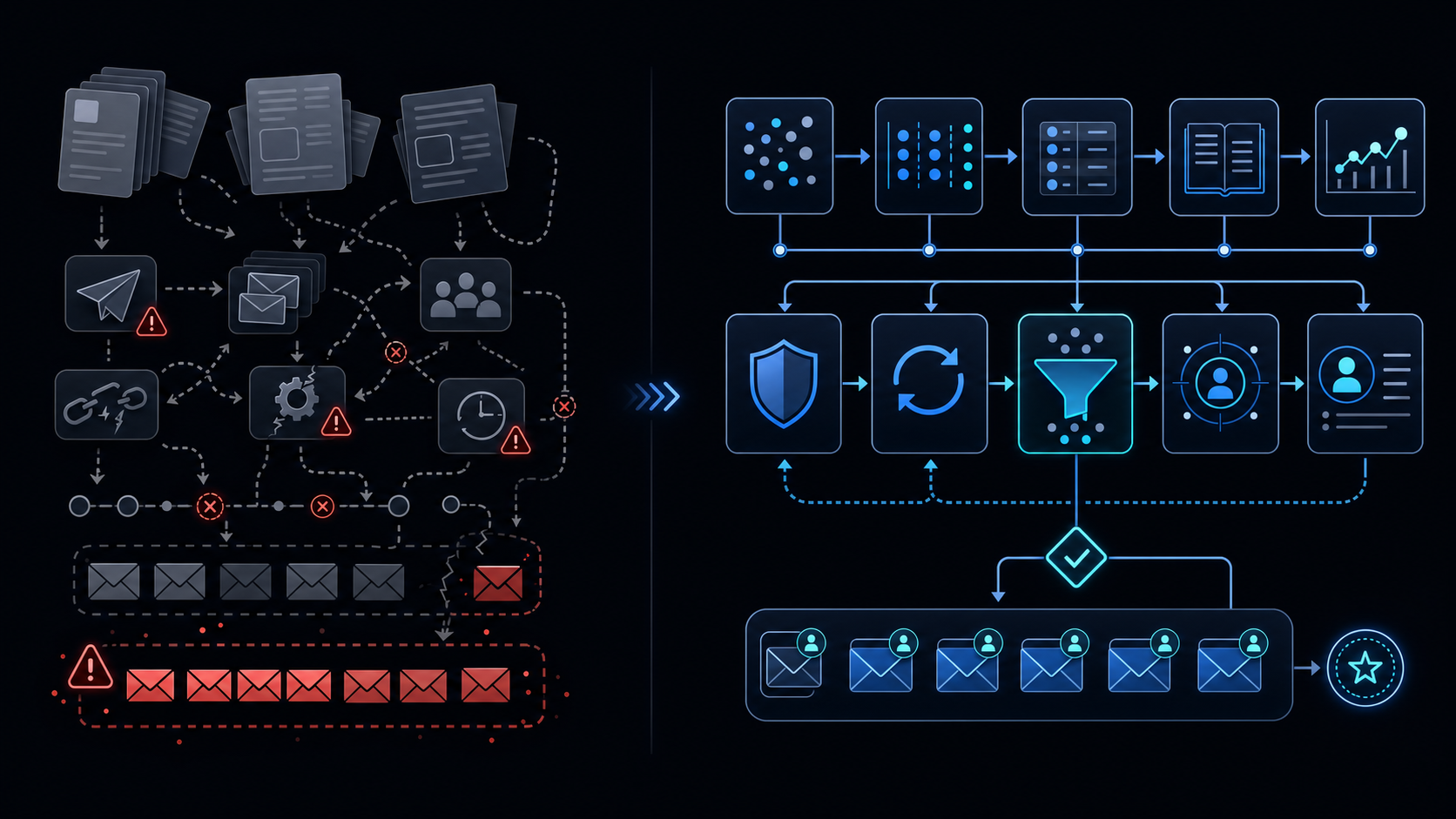
Conclusion first: The primary reason AI-generated sales emails receive no replies is weak lead data combined with missing send queues and absent manual approval gates. Quality is determined by table design and evidence-based personalization, not volume.
Lead Table Data Model
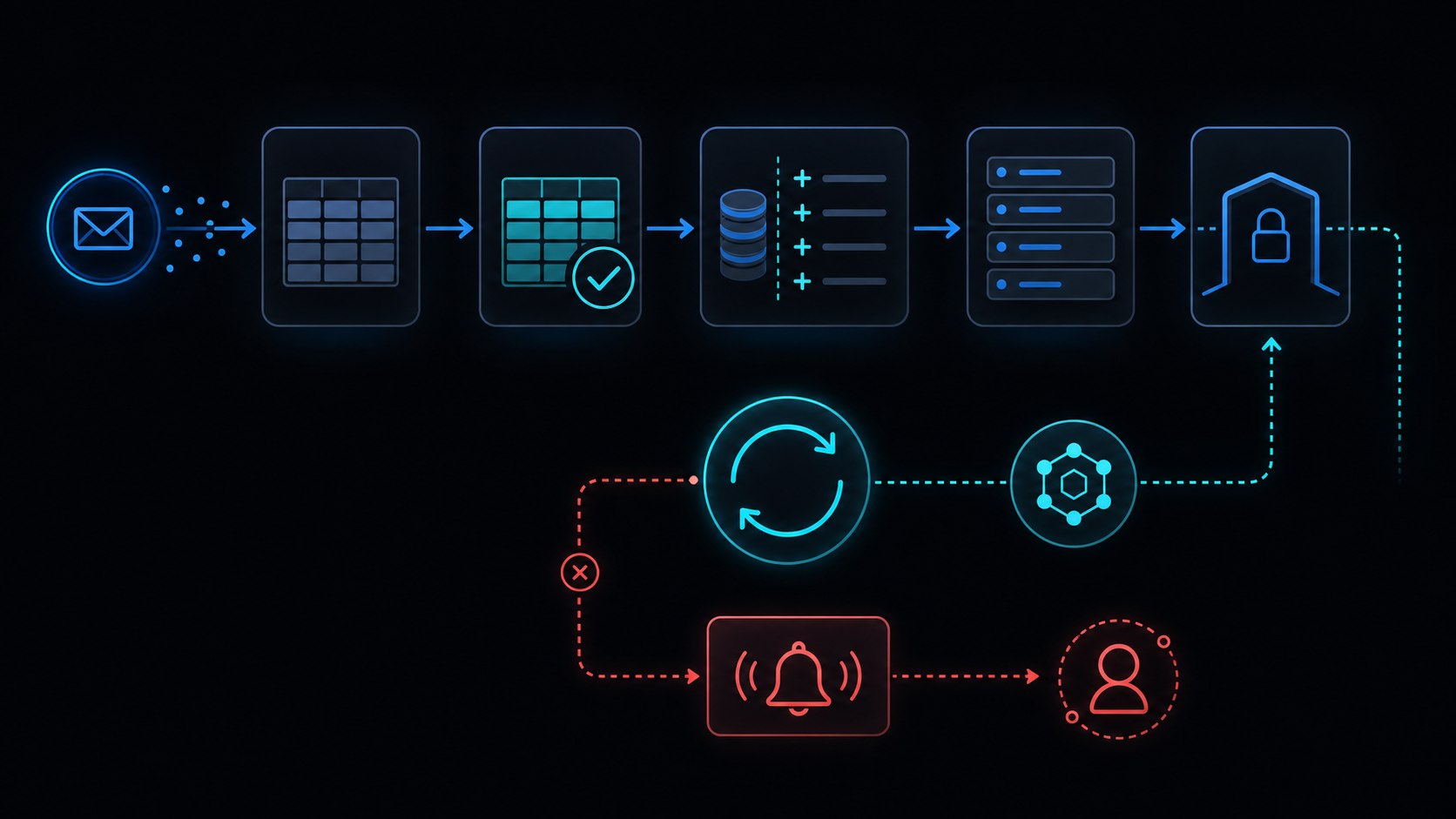 Minimum viable columns:
| Field | Type | Purpose |
|---|---|---|
| company | string | Recipient company |
| recent_signal | string | Purchase-intent keywords |
| last_touch | datetime | Last interaction timestamp |
| competitor | string | Mentioned rival |
| linkedin_note | string | Recent activity summary |
Empty fields force the model to emit generic sentences.
Workflow Schema
{
  "trigger": "new_row",
  "steps": [
    {"name": "generate_draft", "model": "gpt-4o-mini"},
    {"name": "manual_approve", "type": "checkbox"},
    {"name": "enqueue", "lock": true},
    {"name": "send_with_backoff"}
  ]
}
Send Queue Implementation (Apps Script)
function sendQueue() {
  const lock = LockService.getScriptLock();
  if (!lock.tryLock(30000)) return;
  try {
    // batch send with exponential backoff
  } finally { lock.releaseLock(); }
}
Collecting Personalization Evidence
- Filter last_touch to the last 14 days only
- Force competitor phrasing when the field is populated
- Keep linkedin_note under two sentences for prompt injection
Failure Modes
- Concurrent execution without LockService → duplicate sends
- Six-minute limit exceeded → queue stall
- Auto-send without approval → spam complaints spike
Only use emails that actually received clicks or replies as training data. Non-engaged emails degrade personalization quality.
When Not to Use This Approach
- Lead table has fewer than three populated fields
- Daily volume exceeds 50 emails
- Legal requires no manual review
Related Internal Guides
- Apps Script Automation Guide
- AI Cost and Keys
- LockService Concurrency
- Retry Backoff
- When to Leave GAS
Final review criteria
The useful question is not how many features the automation has. It is whether the workflow can be understood, recovered, and safely rerun after something goes wrong.
- Raw input is separated from the human-facing working view.
- Each run records success, failure, processed count, and error message.
- Replaying the same input does not create duplicate results.
- Permission changes, quota errors, and external API failures are visible later.
For low-risk internal tasks, that may be enough. For customer replies, booking confirmation, inventory updates, payments, or legal records, the threshold is higher: compare Apps Script against a dedicated SaaS or a small server-backed system before relying on it.